

 HANDS ON SharePoint
 HANDS ON Teams
 HANDS ON Lists
 HANDS ON tek
 M365 Admin
Quick Steps in SharePoint Document Libraries: Why This One Actually Changes the Experience
When I published my article about the new Quick Steps column type in Microsoft Lists, the focus was on how Microsoft is slowly reshaping the way users interact with data. Not through big announcements or radical redesigns, but through small, practical touches that remove friction from everyday work.
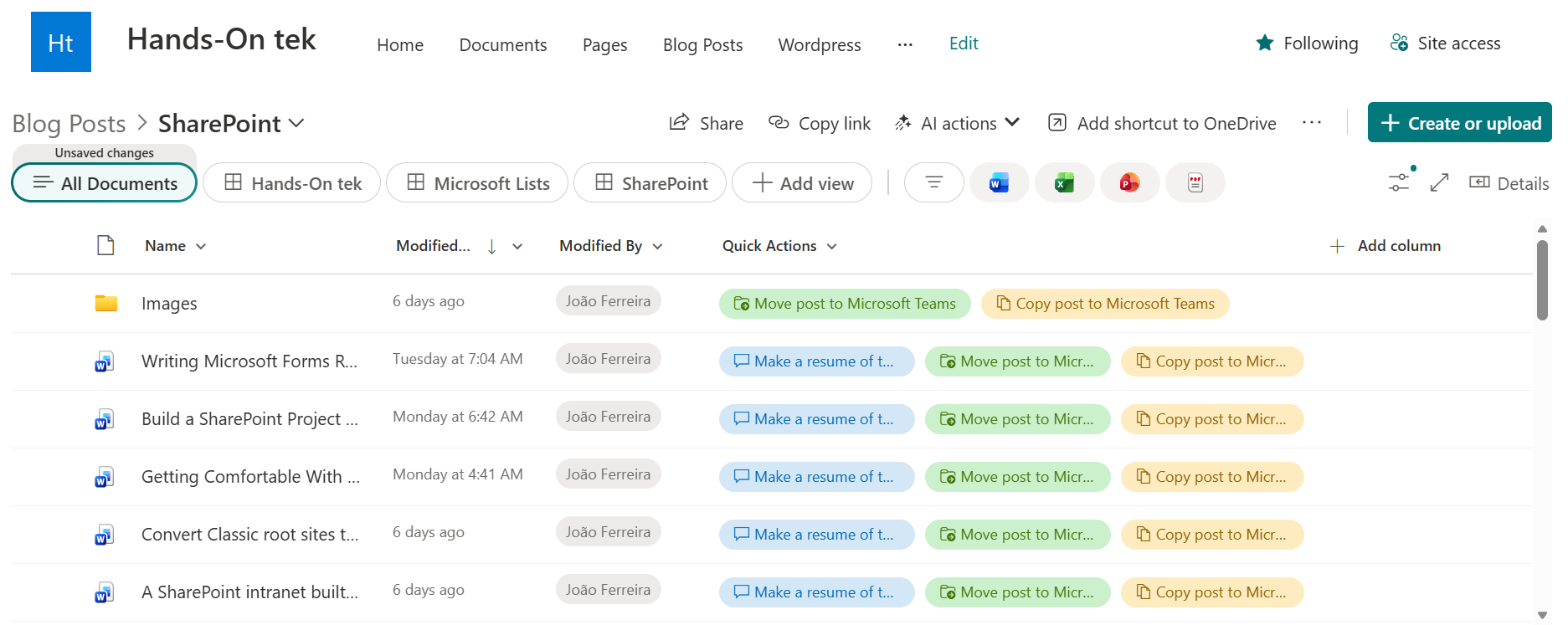
The same Quick Steps column type is also available in SharePoint document libraries. That detail matters, because libraries are not just another container. They are where real work happens, where files move, get reorganized, shared, duplicated, and increasingly questioned. Seeing Quick Steps land here feels less like feature reuse and more like intent.

Before going any further, it is worth reading the previous article on Quick Steps in Microsoft Lists. It walks through the full set of actions that are now available across both lists and libraries and sets the baseline for what Quick Steps are meant to solve. This post builds on top of that foundation.
Why Quick Steps Feel More Natural in Libraries
Lists are structured and predictable. They are excellent for tracking information, enforcing consistency, and supporting automation.
Document libraries are different. They are dynamic, messy, and deeply human. Files move between folders, naming conventions drift, and documents evolve over time rather than being completed in a single transaction.
That difference is exactly why Quick Steps feel more impactful in libraries. Instead of forcing users to open menus, switch views, or remember where an action lives today, Quick Steps bring the most relevant actions directly into the flow of the document list. The action is visible, contextual, and repeatable without breaking concentration.
Moving and Copying Files Without the Mental Overhead
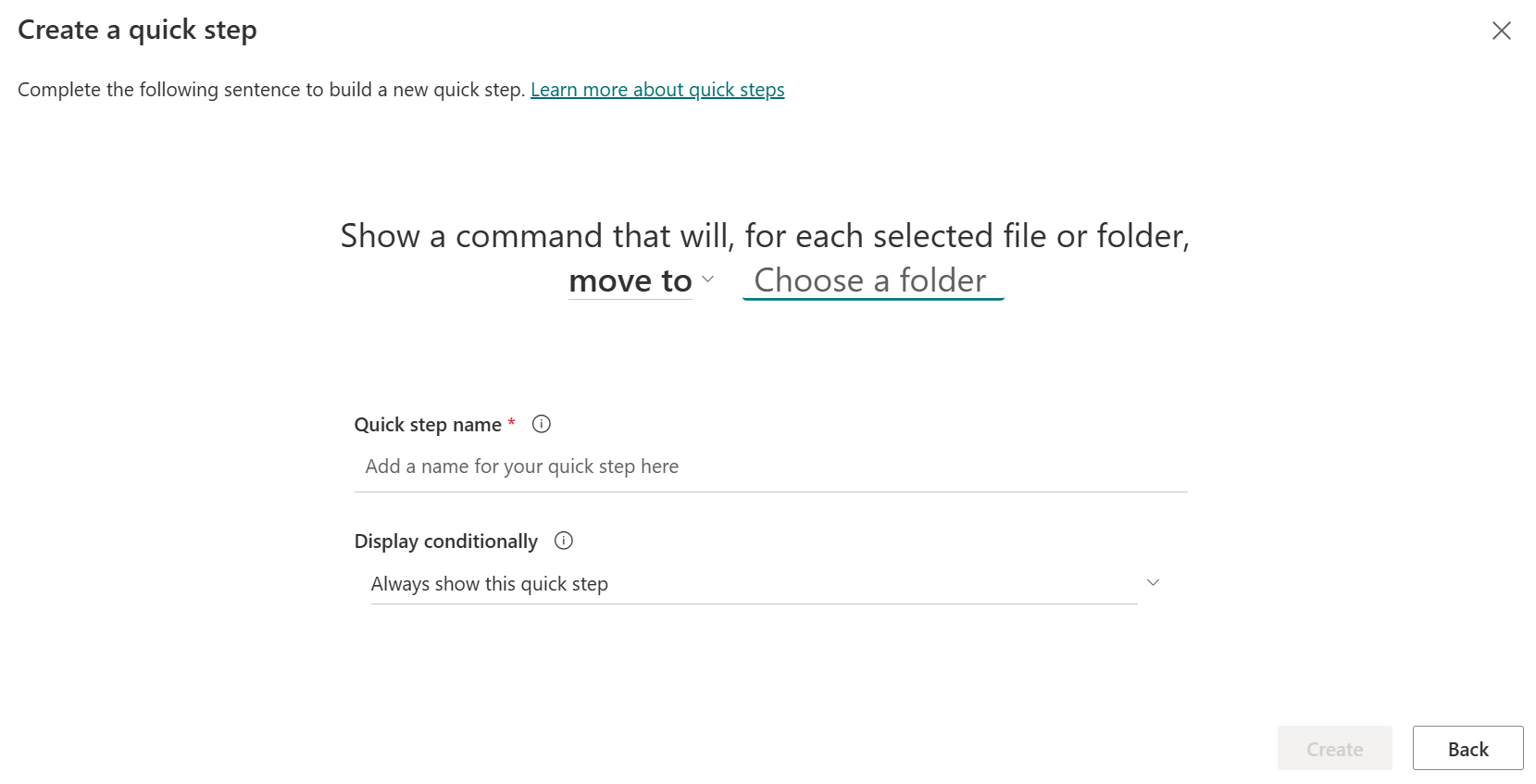
Two of the library‑exclusive Quick Steps are Move to a folder and Copy to a folder. On paper, these are not new capabilities and were available in the library menus.
By turning these into Quick Steps, Microsoft shifts them from “available” to “obvious”.
For teams that rely on folders, which is still the majority despite years of guidance to the contrary, this is a meaningful improvement. Folder‑based libraries stop feeling like a compromise and start feeling efficient again. The action matches the intent, and the interface gets out of the way. This is not about teaching users something new. It is about respecting how they already work.
Asking the Library Instead of Searching It
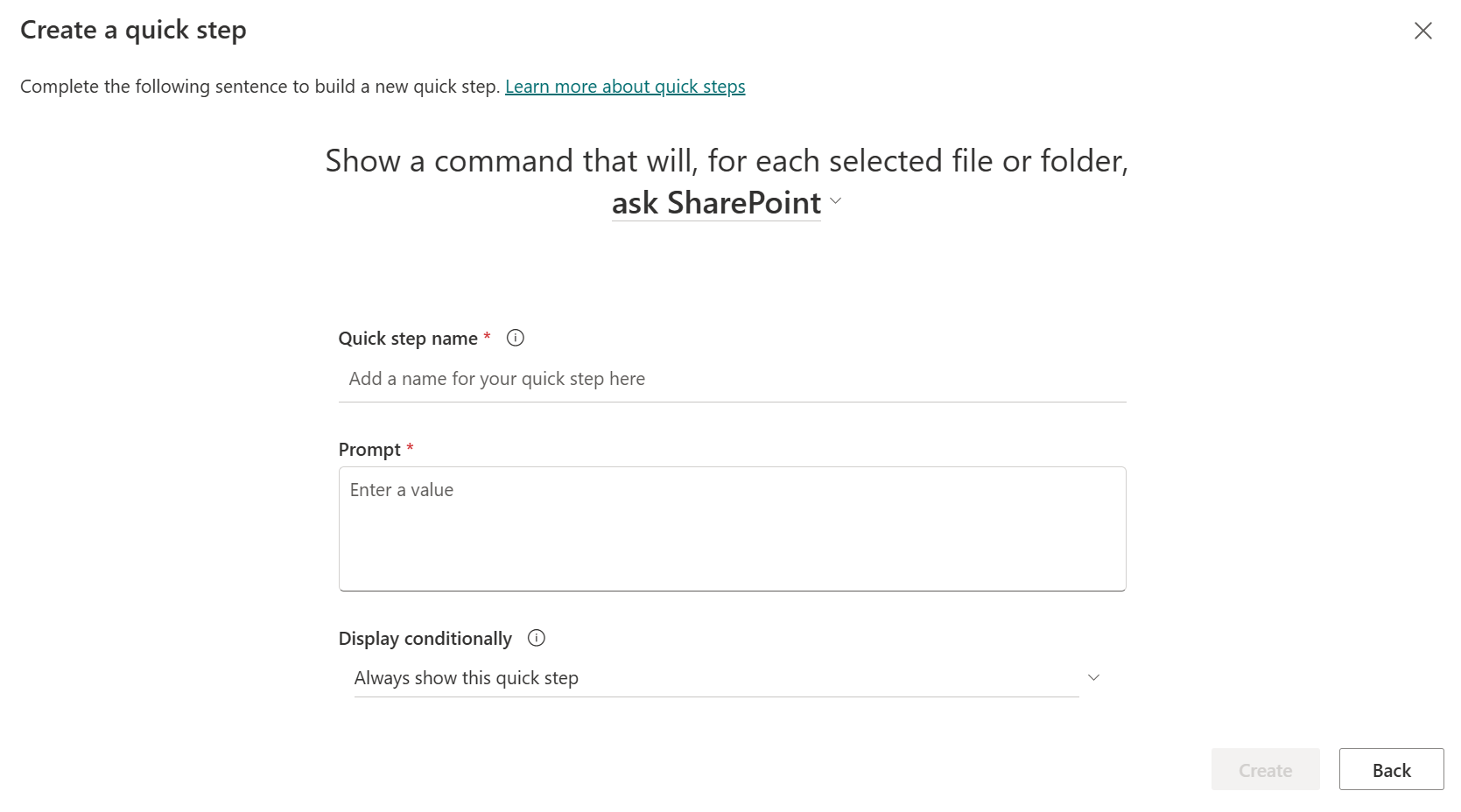
The most interesting library‑specific Quick Step is Ask SharePoint Knowledge agent.
By placing this option next to the document, Microsoft is positioning document libraries as active knowledge sources rather than passive storage. Documents are no longer something you only browse or search through. They are something you can question directly, in context, without changing tools or mental mode.
What makes this particularly effective is its placement. When asking a knowledge agent sits alongside basic file operations, it stops feeling experimental. It becomes part of the normal workflow. That subtle shift says a lot about where SharePoint libraries are heading.
Conclusion: A Correction That Adds Real Value
Document libraries recently went through a major visual and structural overhaul. Some of those changes landed better than others, and not all of them fully synced with how I personally use SharePoint day to day.
Quick Steps feel different. They do not try to redefine libraries. They refine them. They reduce friction, surface intent, and add capability without adding complexity. Most importantly, they give users more control at the exact moment they need it.
After all the changes libraries have seen, this is one addition that clearly earns its place, and one that genuinely improves the experience rather than simply reshaping it.






No comments yet