

 HANDS ON SharePoint
 HANDS ON Teams
 HANDS ON Lists
 HANDS ON tek
 M365 Admin
The End of SharePoint Alerts and the Shift to Smarter Notifications
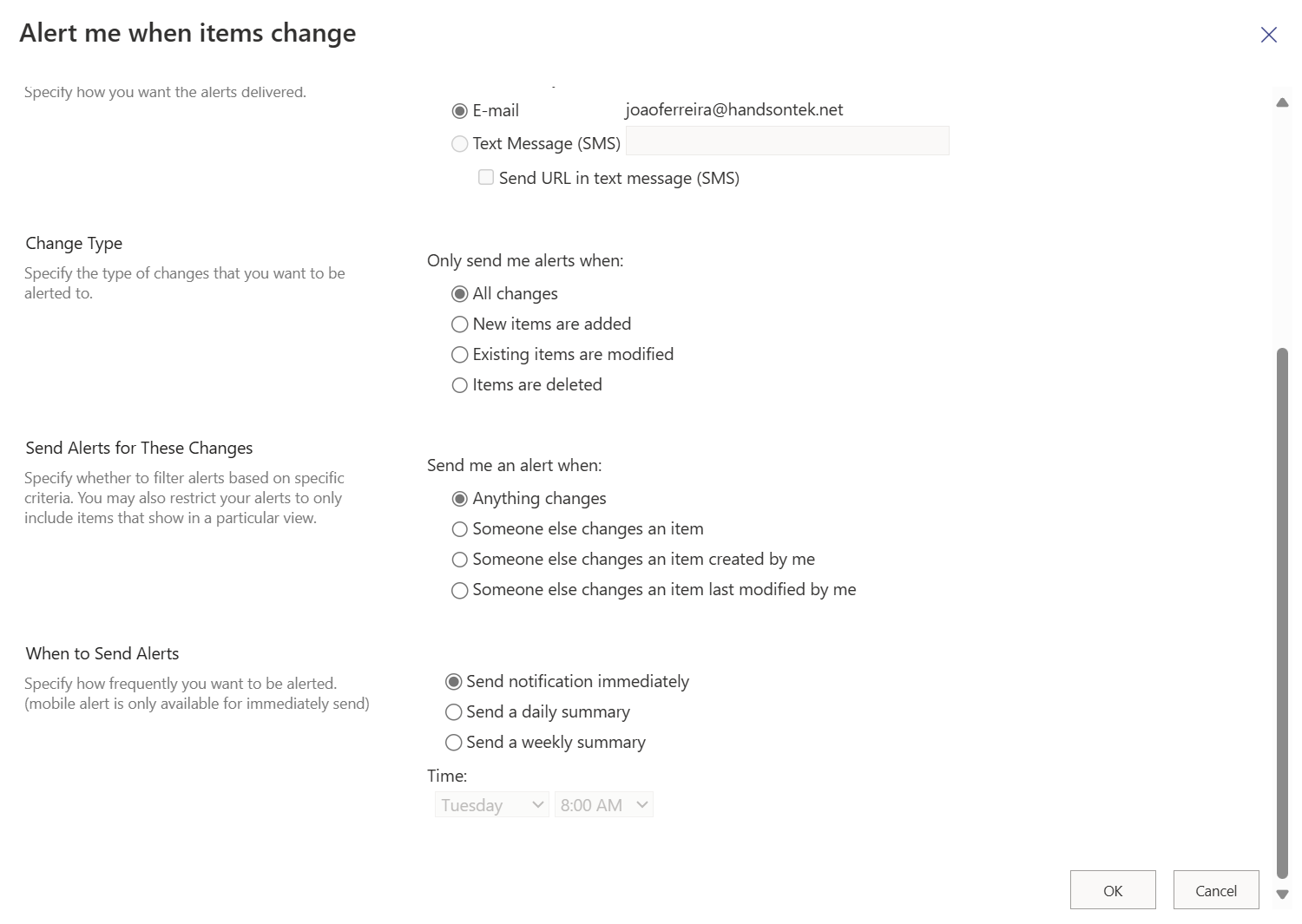
For a long time, SharePoint alerts were one of those features nobody talked about, but almost everyone relied on. You set them once, usually on a document library or a list, and then forgot they existed. An email would show up when a file changed, when an item was added, when someone touched something that mattered. Simple, predictable, and deeply ingrained in how teams kept an eye on their content.
They were never glamorous. Alerts didn’t scale particularly well, the emails were noisy, and governance was always a bit of a grey area. But they solved a very real problem: awareness. In a platform built around shared content, alerts were how many people stayed informed without constantly checking a site.
That chapter is now closing. SharePoint alerts are being retired, and Microsoft is nudging customers toward more modern, more intentional ways of achieving the same outcome.
What alerts were really used for
If you strip away the UI, alerts were about three recurring scenarios.
First, personal awareness. “Tell me when something changes here.” A contract updated, a policy revised, a file uploaded late on a Friday.
Second, lightweight process signals. “Let me know when an item is created or modified so I can react.” Not a workflow, not an approval. Just a nudge.
Third, peace of mind. Alerts reassured people that they wouldn’t miss something important in a shared space that was otherwise quiet.
The important thing is that alerts were passive and user‑driven. No IT involvement and no design work, you opted in, and you moved on.
The modern replacement: rules
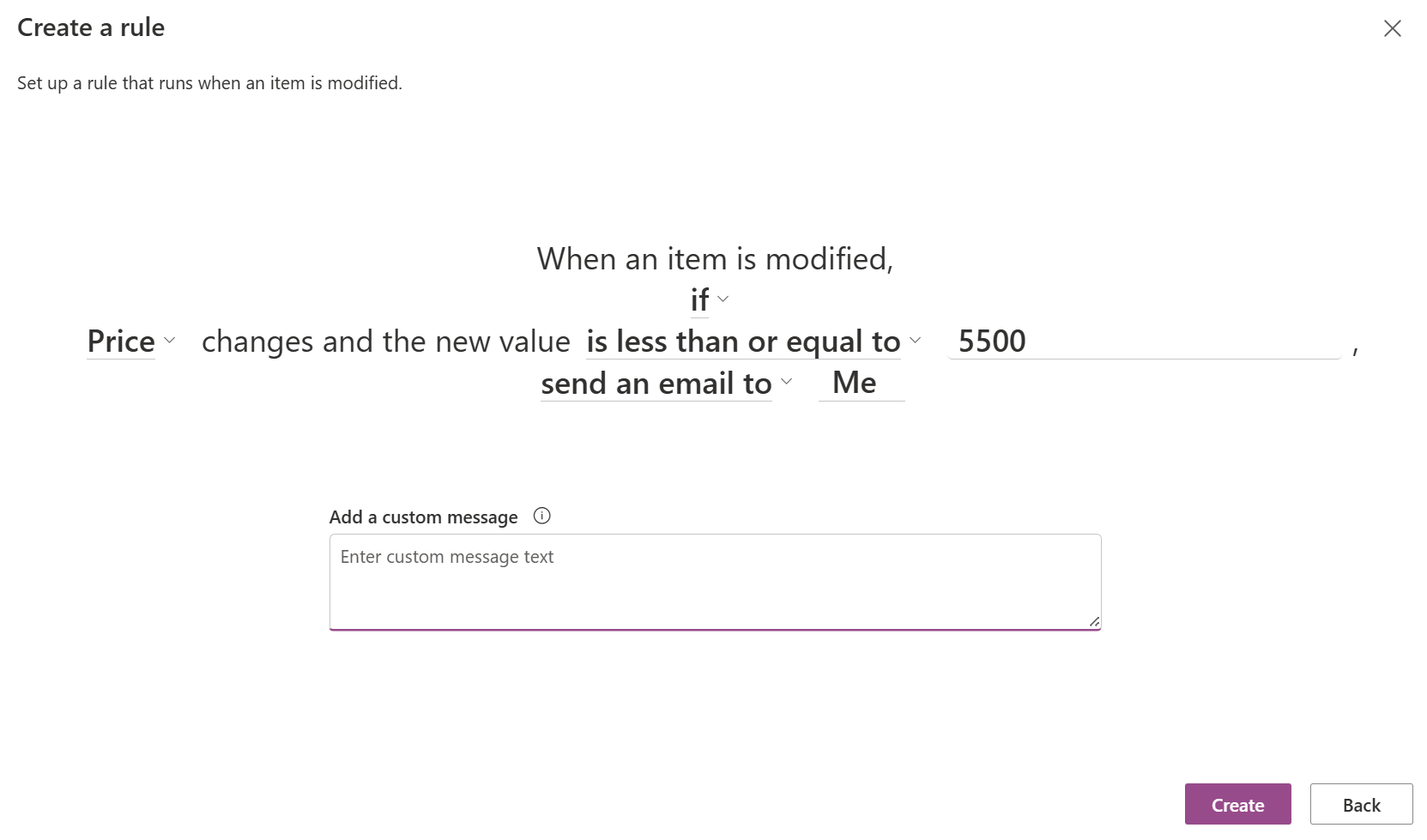
The most direct successor is SharePoint rules. Conceptually, they sit in the same place as alerts, but with clearer intent. Instead of “notify me of everything,” rules are scoped around events and conditions: when an item is created, when it changes, when a value matches something specific. From there, you decide who gets notified and how.
Rules are created directly on lists and libraries, without leaving SharePoint, and they focus on simple automation and notifications rather than blanket monitoring. Microsoft positions them as a way to automate common scenarios without building a full Power Automate flow, filling the gap left by alerts while reducing noise and ambiguity.
This shift is subtle but important. Rules force a small moment of intention. You don’t just subscribe; you define why the notification exists.
When rules are not enough
Rules cover a large portion of classic alert scenarios, but they are not a one‑to‑one replacement. That’s deliberate.
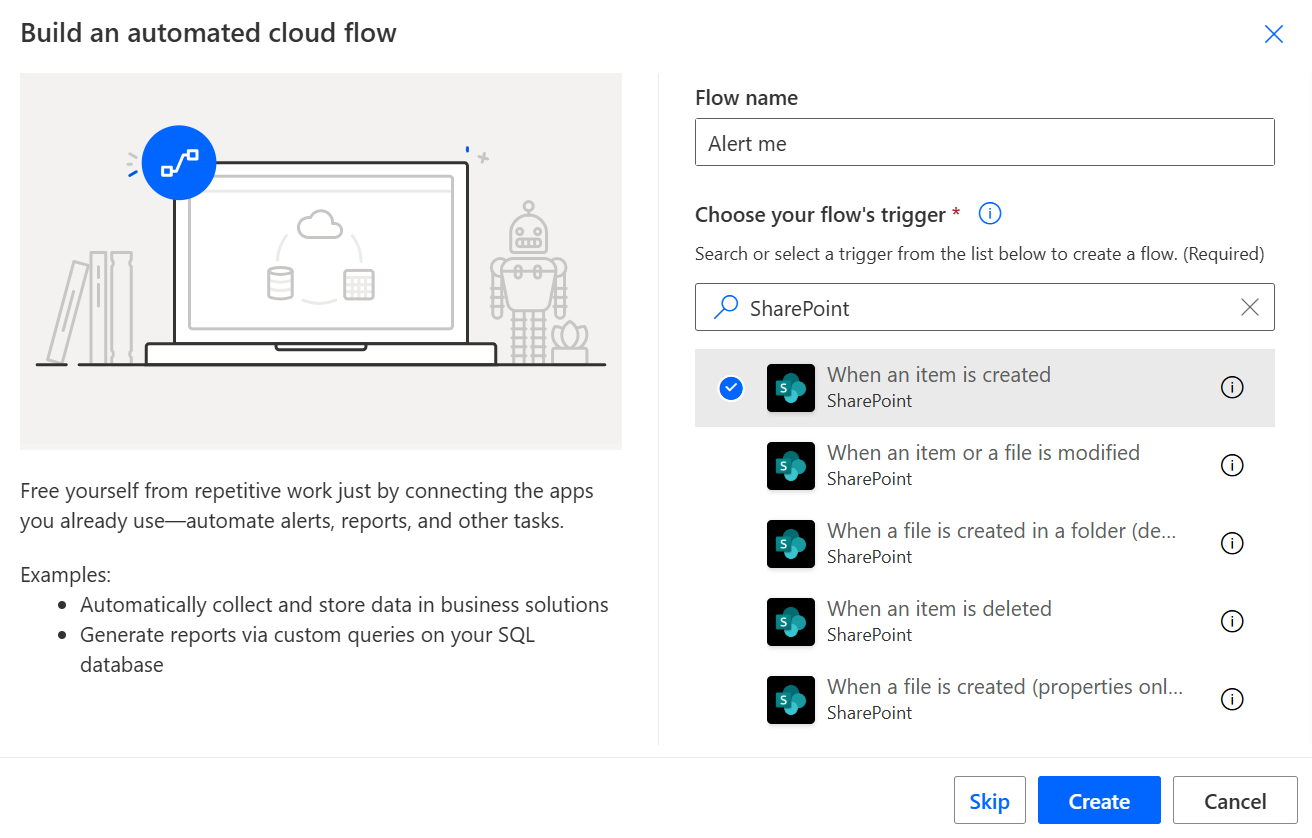
When the requirement moves beyond simple notifications, Power Automate is the natural next step. Flows can replicate alerts, but they can also go further: conditional logic, approvals, integrations with Teams, Planner, or external systems. This is the path Microsoft has been steering customers toward for years, and the retirement of alerts makes that direction explicit.
The trade‑off is complexity. Power Automate requires ownership, testing, and governance. It’s not something every end user will pick up casually, and that’s where rules act as an important middle ground.
Final Thoughts
On the surface, retiring SharePoint alerts looks like a minor housekeeping task. In practice, it reflects a broader shift in how Microsoft thinks about notifications and automation in Microsoft 365.
Passive, invisible features are being replaced by tools that ask for intent, context, and structure. Fewer “just in case” emails. More deliberate signals. More automation that can evolve instead of quietly accumulating debt.
If you still rely on alerts today, this is a good moment to audit why. In many cases, rules will be enough. In others, it might be time to design something more robust. Either way, the goal hasn’t changed. People still need to know when something important happens. The platform is simply asking us to be more intentional about how we make that happen.






No comments yet