

 HANDS ON SharePoint
 HANDS ON Teams
 HANDS ON Lists
 HANDS ON tek
 M365 Admin
Microsoft Forms Data Sync: Bringing Responses Directly into SharePoint
Most Microsoft 365 improvements don’t arrive loudly. They settle in quietly, change behavior, and then disappear into the background. When they work, nobody notices. When they don’t, everyone does.
The Microsoft Forms data sync experience for Excel in is one of those changes. On paper, it looks modest. Forms responses sync more reliably to Excel. The file lives in the same library where the form was created. No new app, no new surface, no feature tour. In practice, it removes a long‑standing tension in how people actually use Forms.
For years, collecting data was easy. Using it properly was not. Responses lived somewhere else, behind another interface, tied to a file whose location and ownership often needed explaining. As soon as a form mattered to more than one person, friction appeared.
How Does It Work
If the goal is to make responses immediately usable by others, the form should not be created from the Microsoft Forms home page. Instead, start from a SharePoint document library and choose Forms survey. At that point, you are still redirected to Microsoft Forms to design the survey, and nothing changes in the authoring experience. The questions, settings, and distribution options remain exactly the same.
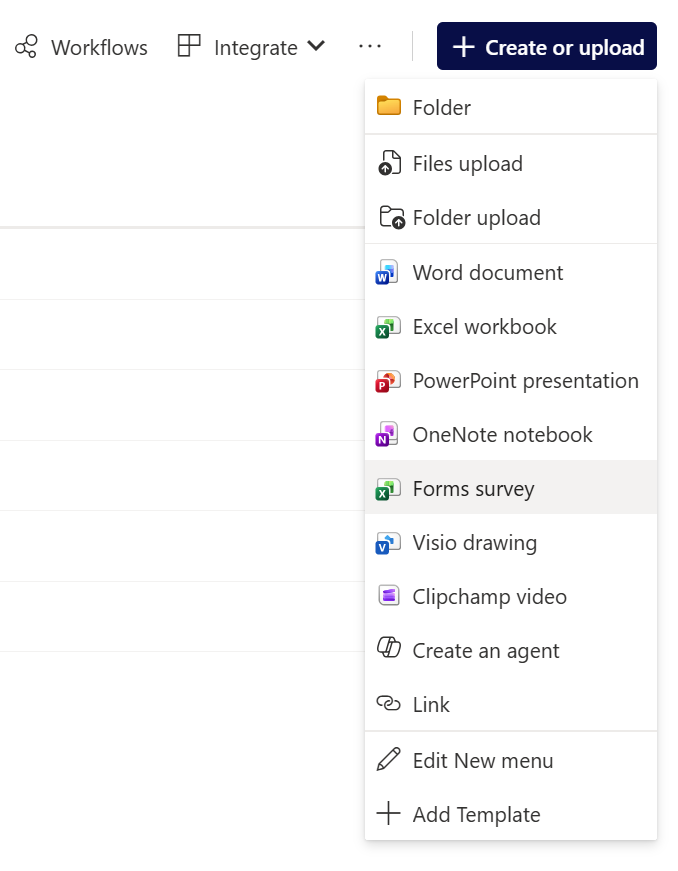
The difference only becomes visible once responses start coming in. As replies are collected, the resulting Excel file is created in that same document library, living alongside the rest of the team’s files.
This feature changes that dynamic by making responses feel native to the document library. Not an export. Not a generated artifact you have to hunt down. Just an Excel file, sitting alongside other files, following the same rules as everything else.
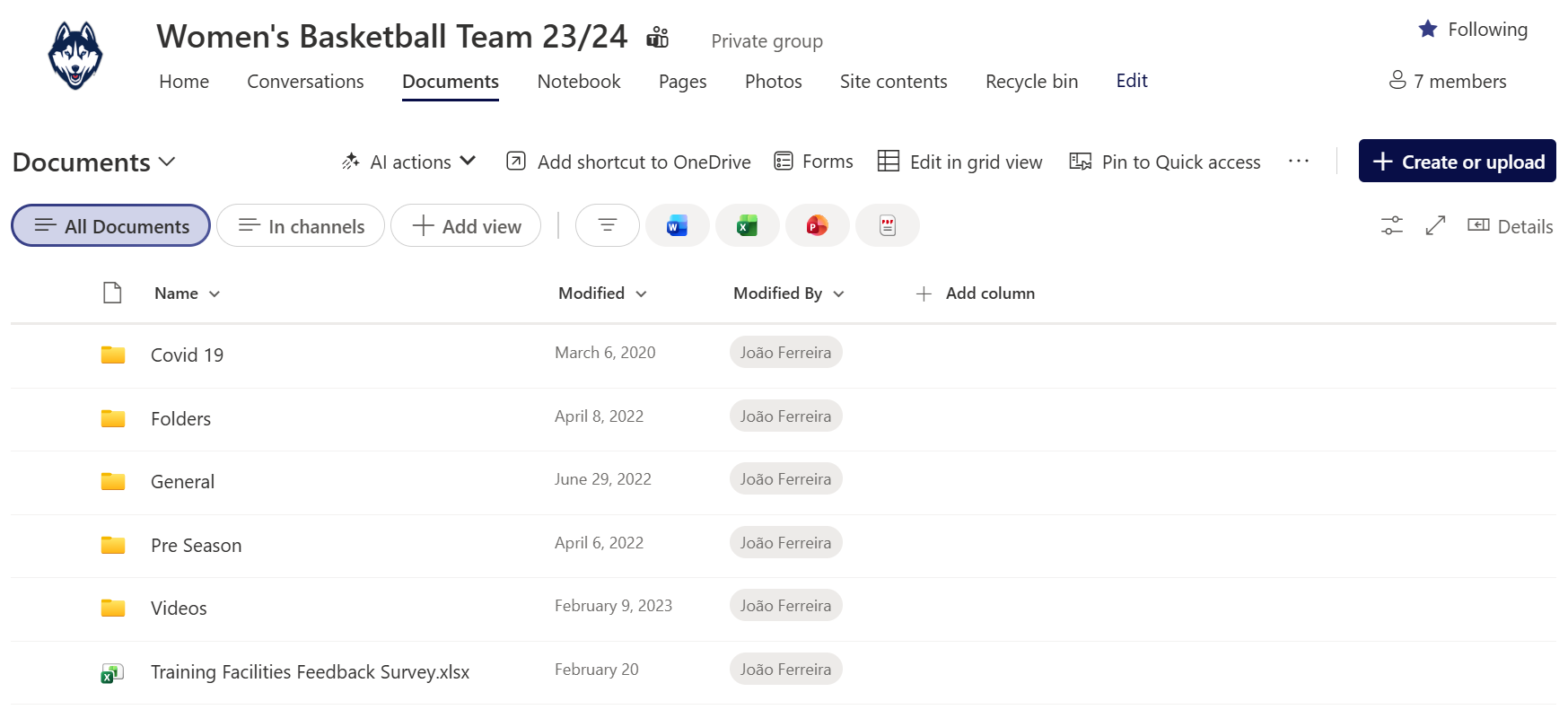
Once responses live directly in the library, they inherit everything teams already rely on: permissions, sharing, version history, governance, retention. The data stops being “Forms data” and starts being just data.
Final Thoughts
This is also a good example of what Microsoft gets right when integration is treated seriously. No one is being asked to learn something new. The workflow aligns with habits that already exist. Create, collaborate, revisit. The same rhythm as any other document‑based work.






No comments yet