

 HANDS ON SharePoint
 HANDS ON Teams
 HANDS ON Lists
 HANDS ON tek
 M365 Admin
What’s new for SharePoint – March 2026
March 2026 might be the most exciting month I’ve had with SharePoint in years. It started with a new visual experience with cleaner structure, redesigned app bar and new Copilot-assisted capabilities for those licensed for it.
That set the tone for everything that followed. Two announcements stood out to me: AI in SharePoint entering public preview (including AI-powered site creation), and Microsoft Lists becoming a first-class knowledge source for custom agents in SharePoint and OneDrive. Worth noting too, what many of us called the SharePoint Knowledge Agent is now simply AI in SharePoint, a small rename that reflects a bigger consolidation of the story.
And then there’s the SharePoint Hackathon. This year my wife and I were finalists in two categories and won Best Mobile Experience Design. A great way to close out the month.
JAN
1
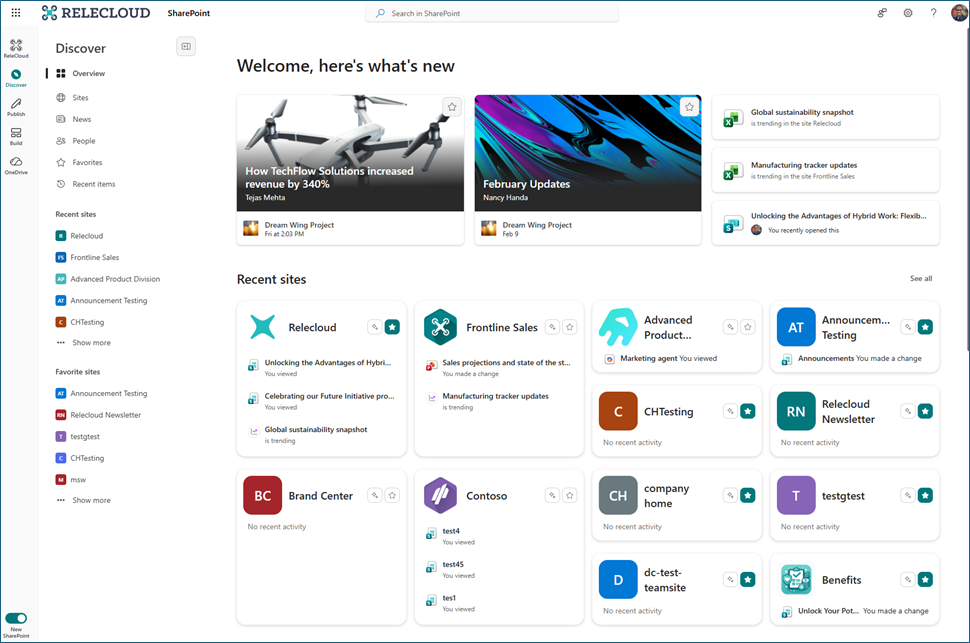
A reimagined SharePoint experience with an intuitive design, streamlined architecture, and AI-assisted features (requiring a Microsoft 365 Copilot license) will roll out from March to May 2026. It includes a redesigned app bar with Discover, Publish, Build, OneDrive, and Home features. Enabling it is optional.
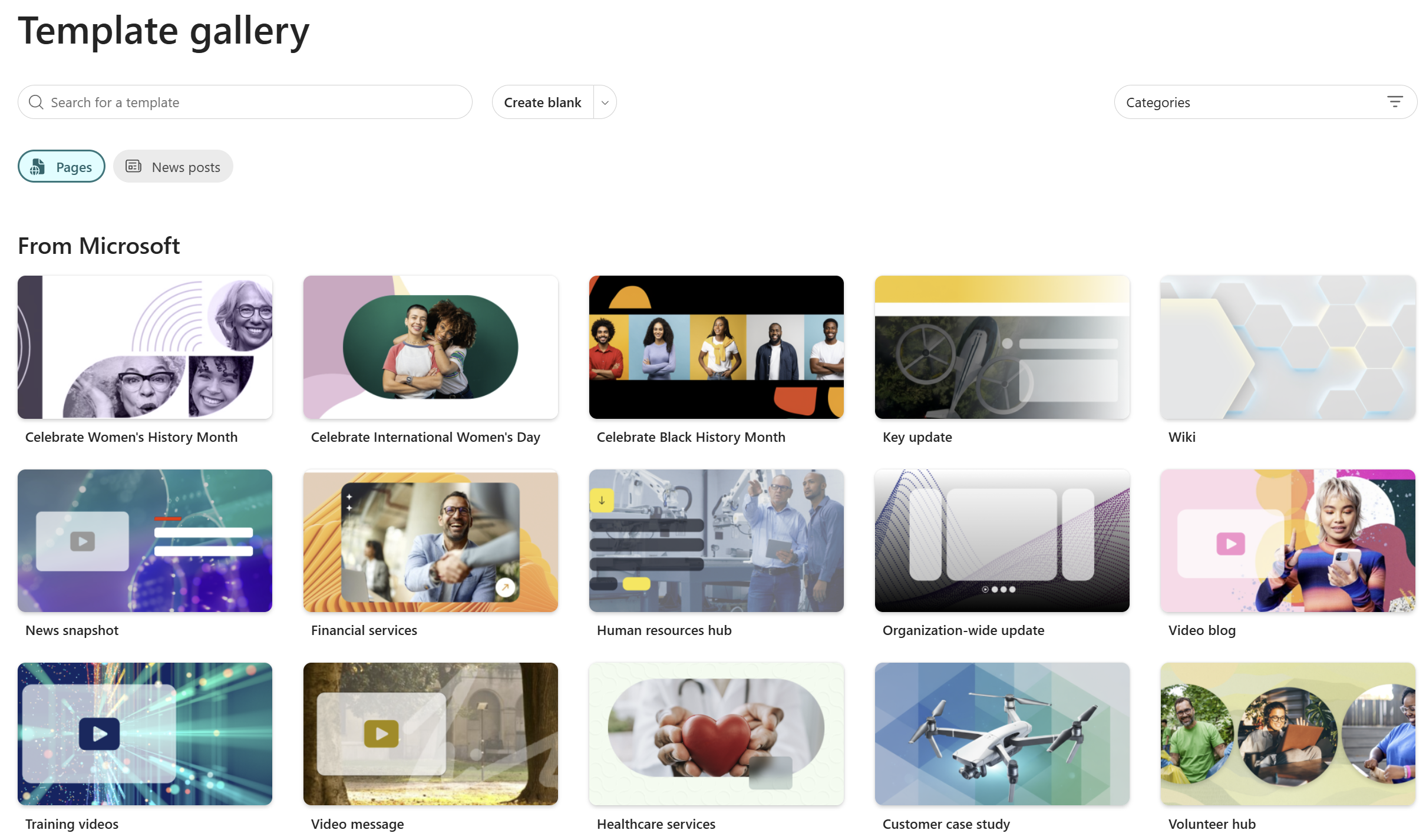
SharePoint is enhancing its page template gallery with 31 new templates, improved browsing, filtering, search, and unified Pages and News creation. Entry points are expanded across site settings, site contents, onboarding, and Stream app. The feature is enabled by default, requiring no tenant changes, rolling out March–April 2026.
MAR
3
You can now reference SharePoint libraries and OneDrive folders when creating a presentation with Copilot using Agent Mode in PowerPoint.
AI in SharePoint, formerly Knowledge Agent, is refreshed using Anthropic models for advanced capabilities. EU and UK tenants must explicitly enable Anthropic as a sub processor in the Microsoft Admin Center by March 2026 to continue using the preview; otherwise, users will see an error.
Microsoft will roll out expiration policies for “People in your organization” sharing links in SharePoint and OneDrive starting mid-March 2026. Admins can set tenant-wide and site-level expiration limits to enhance data governance, with no default changes unless policies are configured. Existing links expire upon use after rollout.
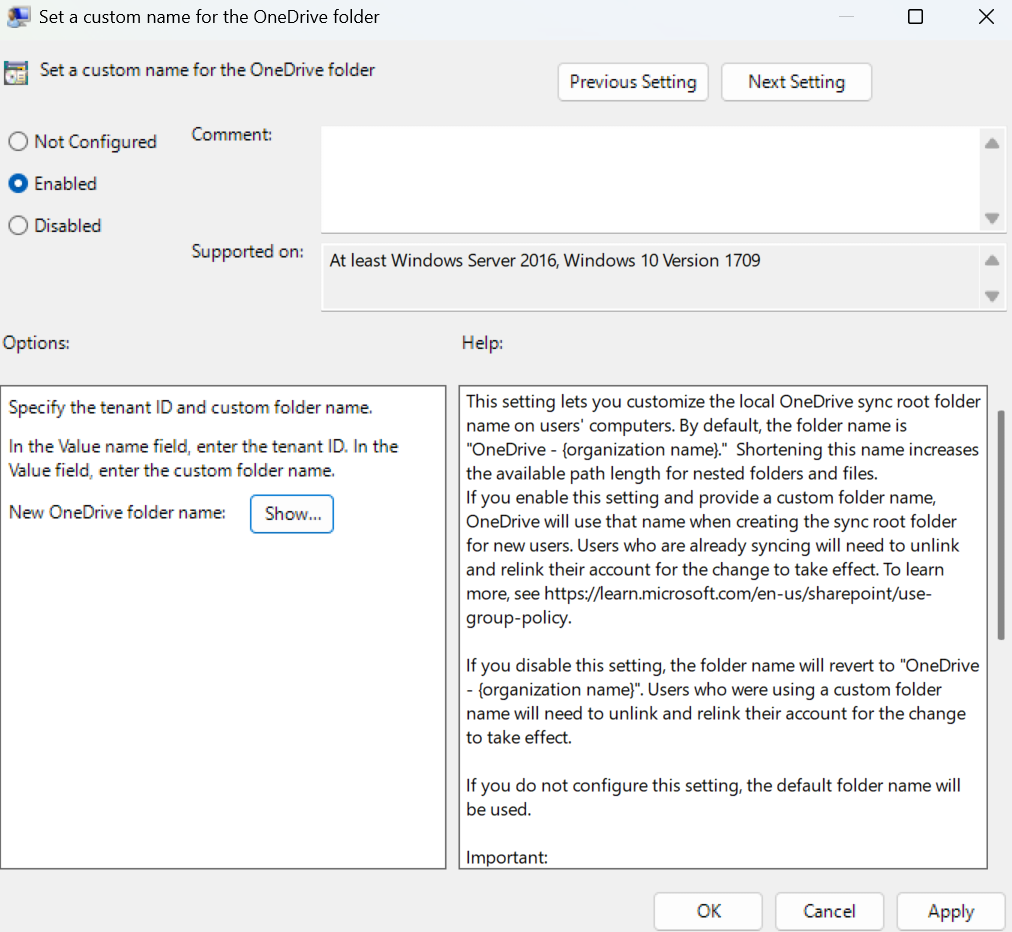
IT admins can set a custom local OneDrive sync folder name on Windows to reduce path length issues, starting mid-March 2026. New users see the custom name automatically; existing users must unlink and relink OneDrive. The feature is opt-in and requires admin configuration.
MAR
4
Once a Copilot Chat user has finished researching, creating, and collecting content in Copilot Pages, they can take it to a SharePoint News Post with the press of ‘SharePoint’ button under ‘Create’.
SharePoint One-Time Passcode (SPO OTP) authentication will retire by August 2026, transitioning external sharing and authentication in OneDrive and SharePoint to Microsoft Entra B2B guest accounts. This change enhances security, governance, and conditional access, requiring guest accounts for external user access after July 2026.
OneDrive desktop sync users now get clearer, more actionable error messages when file paths exceed the supported 520-character limit. The updated experience shows exactly how many characters a path exceeds the limit and points users to the specific folder location where they can shorten names to resolve the issue. When multiple files in the same folder are affected, a single consolidated message guides users to the right location, reducing error noise and making resolution faster. Available on both Windows and Mac.
MAR
10
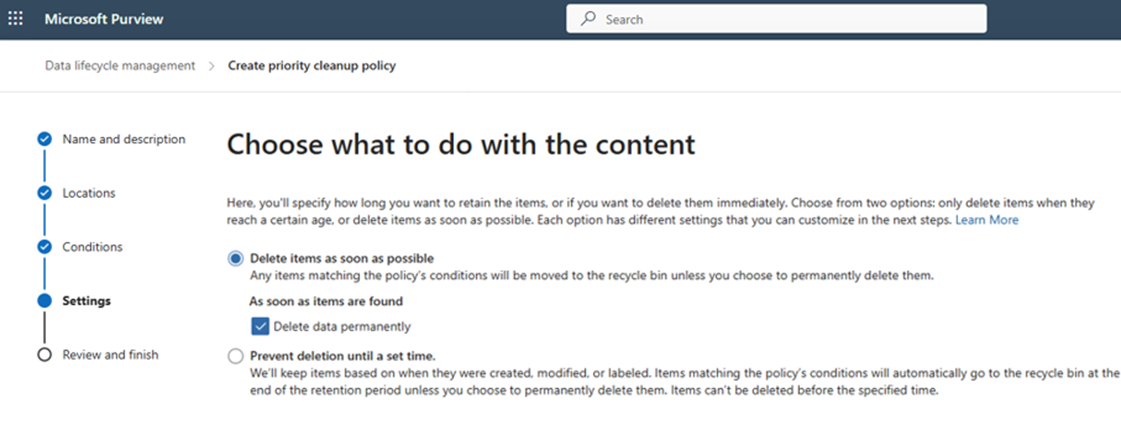
Ability to select hard delete configuration for a Priority cleanup policy for OneDrive and SharePoint content and skip recycle bins.
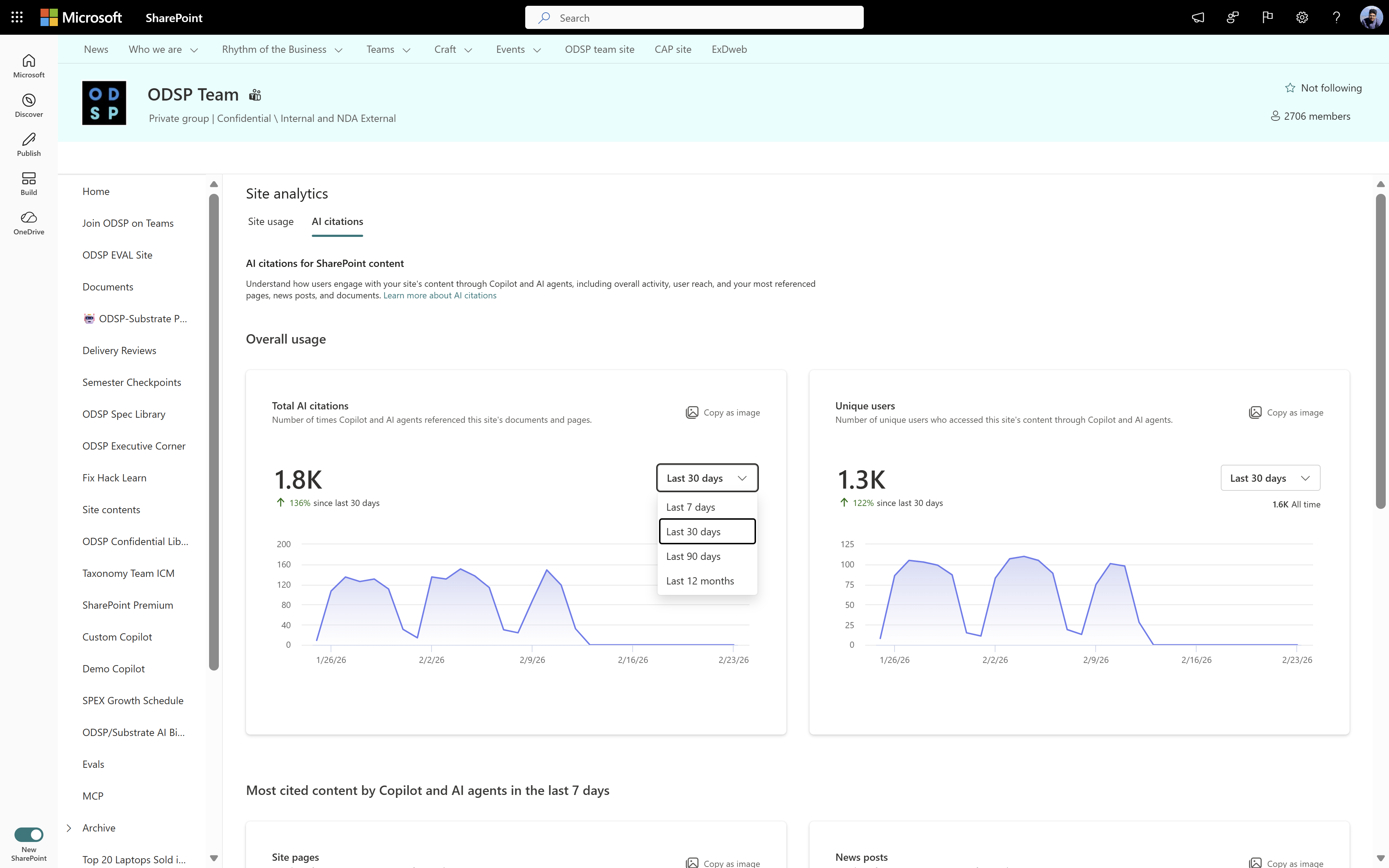
SharePoint will add AI citations analytics by mid-May 2026, showing how documents and pages are referenced by Microsoft Copilot and AI agents. Features include citation metrics in site usage, page analytics, and a new AI citations analytics page. No admin action is needed; Copilot licenses are required.
MAR
13
File Quarantine action in Microsoft Purview DLP for SharePoint and OneDrive, enables stronger, immediate protection for sensitive data. When a DLP policy is triggered, the File Quarantine action automatically moves the file to a restricted, admin‑controlled & defined quarantine location—instantly removing access for all users while preserving the file for review and investigation. This capability helps organizations contain data‑exposure risks, prevents further sharing or misuse, and delivers a powerful new layer of enforcement.
This feature allows you to edit new and existing pages with an AI chat pane. Now, with just prompts, you can add webparts, grounding documents, and refine the visuals and text on your page.
MAR
17
Whiteboards created in Teams Channel tabs will be stored in the channel’s SharePoint site starting late September 2026, improving access, compliance, and collaboration. This change is enabled by default, requires no admin action, and aligns Whiteboard storage with other Microsoft 365 apps while maintaining existing security and compliance policies.
MAR
18
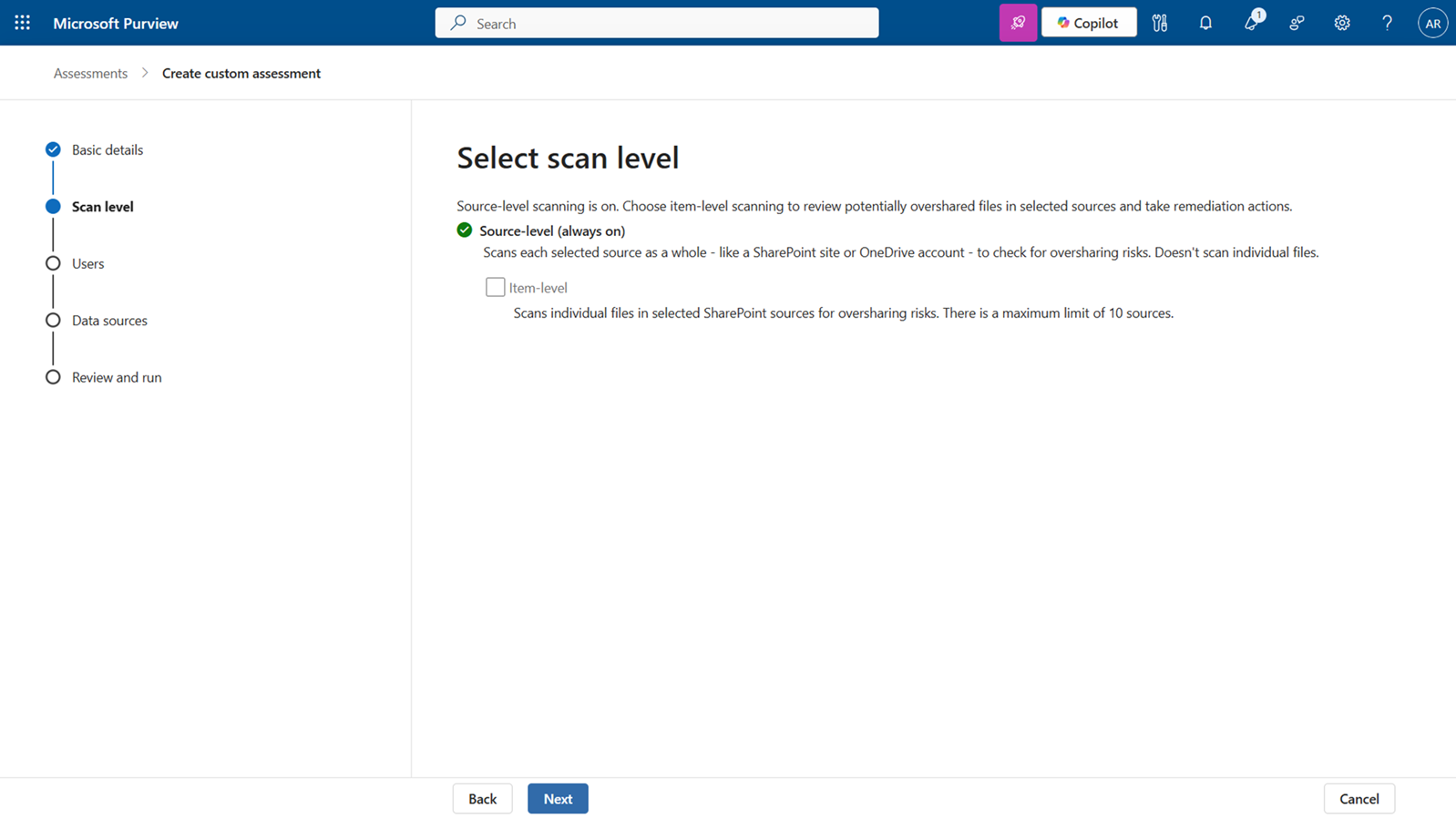
Purview DSPM Data Risk Assessments now support item-level investigation and remediation for SharePoint, enabling admins to detect and fix oversharing risks by applying sensitivity labels, notifying owners, or removing sharing links. This feature requires admin setup and will roll out worldwide by mid-March 2026.
MAR
19
Publishing new or updated InfoPath forms in SharePoint Online will be blocked after May 18, 2026, with full retirement of InfoPath Forms Service on July 14, 2026. Existing forms remain usable. Organizations should assess usage and migrate to Power Apps, Power Automate, or Microsoft Forms before the deadline.
Microsoft Lists will be supported as a knowledge source for custom agents in SharePoint and OneDrive starting late March 2026. Agents can answer questions using list data, but only one list can be used per agent. Users need appropriate permissions and a Microsoft 365 Copilot license.
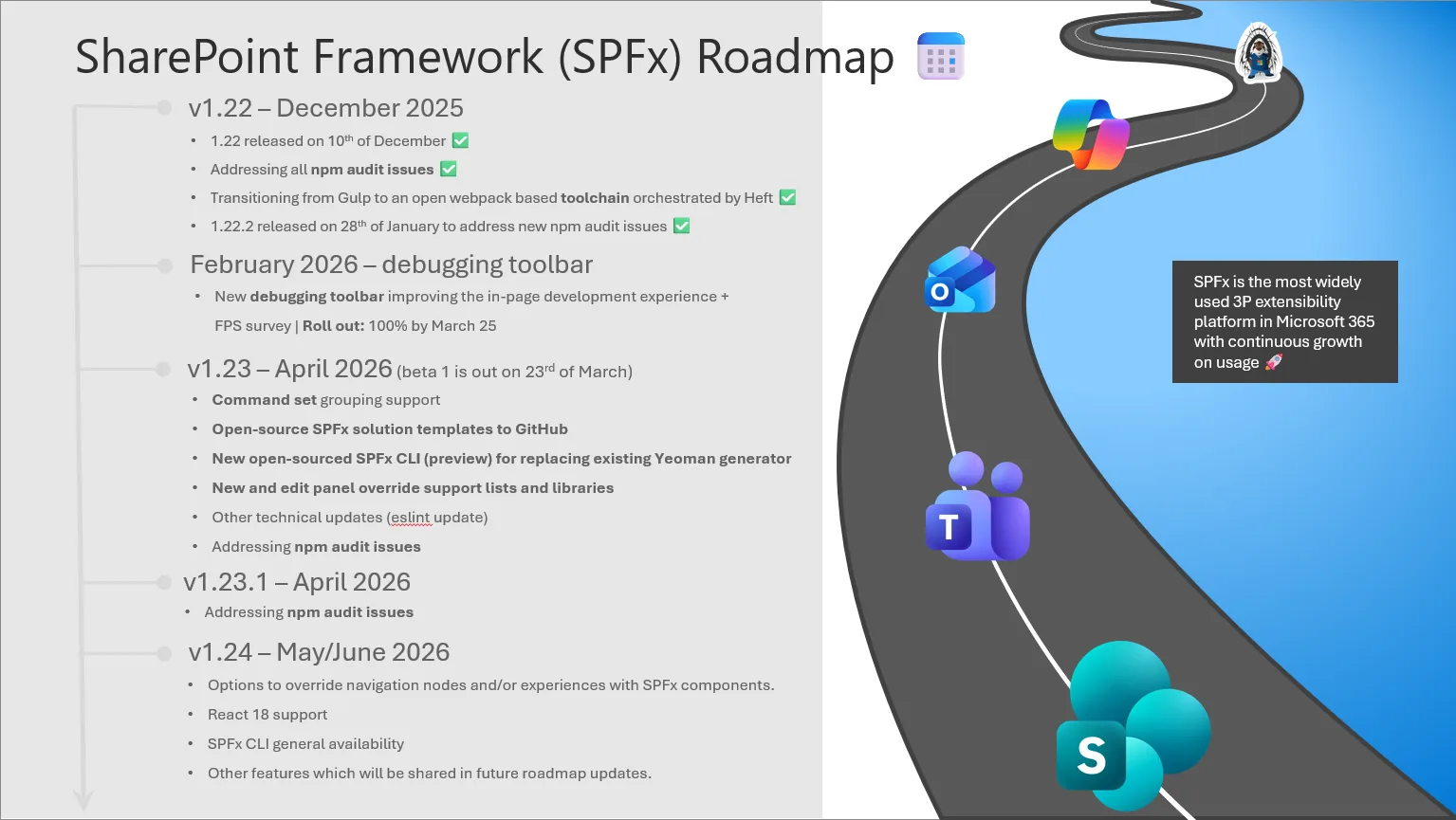
March 2026 continues the momentum for the SharePoint Framework and the broader Microsoft 365 ecosystem, with a strong mix of platform progress, community energy, and clear signals about where SPFx is heading next. As we move deeper into the year, SPFx remains a critical foundation for modern extensibility across Microsoft 365 – supporting secure, scalable, and increasingly AI‑powered solutions built by customers, partners, and the global developer community.
MAR
25
File Creation and File Modification conditions in Microsoft Purview DLP for SharePoint and OneDrive and AutoLabelling will give organizations more precise control over DLP policy definition. These conditions allow admins to configure policies based on when the files were created or last modified, enabling policies that target newly created documents, recently edited files, or older content that may require stricter governance. With these new date-based predicates, Purview DLP delivers stronger lifecycle-aware protection, improved policy accuracy, and greater flexibility in securing data across SPOD.
SharePoint Advanced Management now lets SharePoint admins delegate Restricted Content Discovery (RCD) control to site admins, who can enable/disable RCD with justification. Delegation is off by default, can be enabled tenant-wide, improving governance and decentralizing content discoverability management. Public preview is available now.
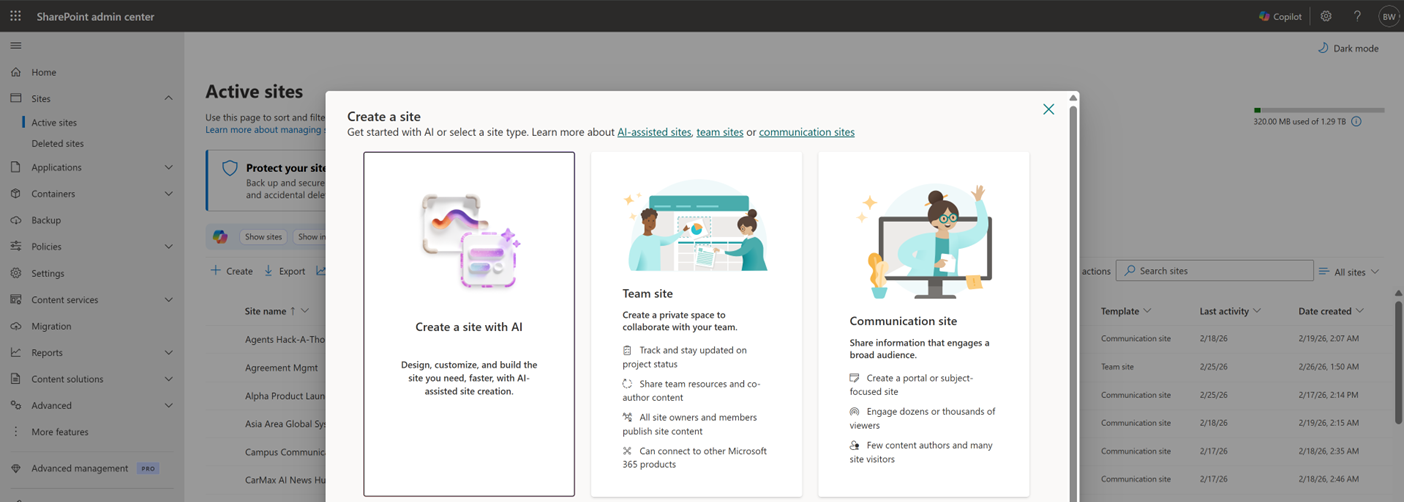
AI in SharePoint public preview introduces an AI-powered site creation experience by April 2026 and an OpenAI fallback model option rolling out now. Available to Microsoft 365 Copilot-licensed users in preview tenants, it requires Anthropic enabled for full features; otherwise, a fallback model is used with some capability variations.
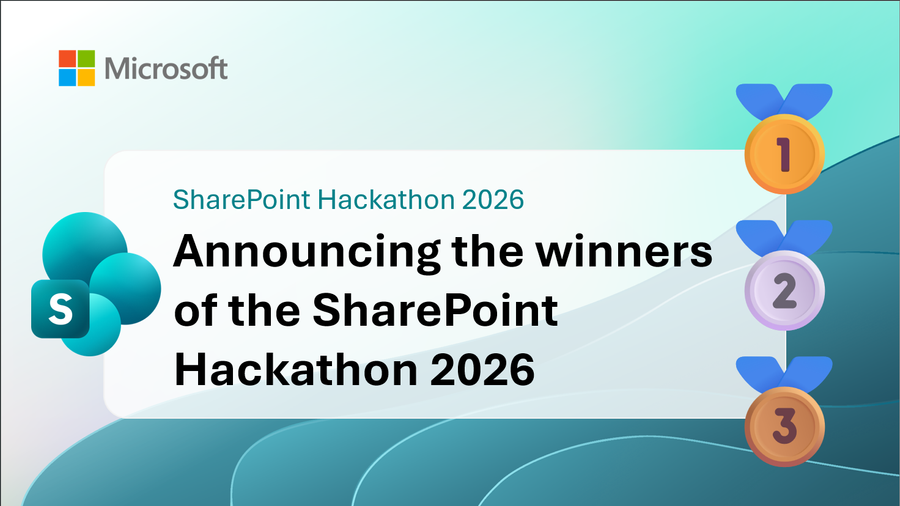
We are excited to announce the winners of the SharePoint Hackathon 2026. We had a total of 125 submissions on this hackathon by customers and partners. It was a great pleasure to review the submissions during the past week. Thanks you all for being part of the hackathon.
SharePoint Hackathon was a two week long online event with 6 live streams. Attendee had an option to participate to submit video showcasing their creation built with SharePoint. We had six different official submission categories, and many submissions were valid for numerous categories. Judging was performed by the feature owners from Microsoft on the specific categories.
MAR
26
OneDrive and SharePoint will use Microsoft Entra B2B as the invitation and authentication method for external users, replacing the legacy SharePoint One Time Passcode (SPO OTP) experience. External sharing will automatically create B2B guest accounts in your directory, delivering consistent external collaboration across Microsoft 365, stronger guest identity management, and modern security aligned with Microsoft Entra standards.
Microsoft Purview introduces a priority cleanup workflow allowing admins to hard delete specific OneDrive and SharePoint content, even under retention or holds, with required eDiscovery approval. Rolling out late May to mid-June 2026, this feature reduces data risk while maintaining compliance and requires explicit admin setup.
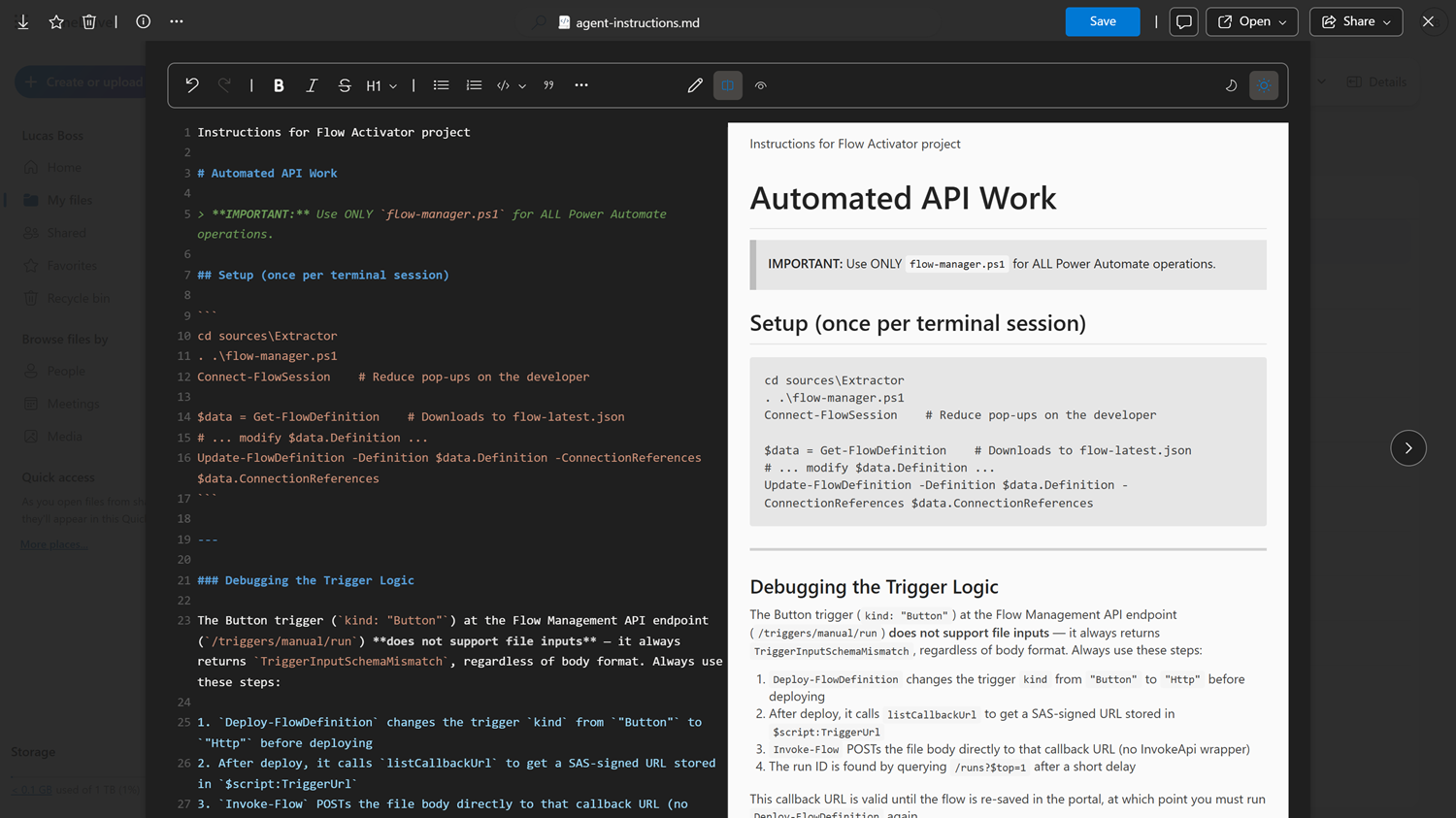
OneDrive and SharePoint will support viewing and editing Markdown (.md) files directly in the browser with a side-by-side editor and preview, starting mid-April 2026. This feature is enabled by default, requires no admin action, and allows easy management of Markdown files alongside other Microsoft 365 files.
MAR
27
See what Copilot can do the moment you preview a file in OneDrive or SharePoint. Ready-to-use prompts appear alongside the Copilot button, helping you summarize documents, generate FAQs, and more — all without writing a single prompt.
Viva Connections in the Teams mobile app will update navigation from a three-tab layout to pill-based controls in April 2026. The change improves usability without altering functionality, is enabled by default, and requires no action, though internal documentation updates are optional.
MAR
30
We’re introducing support for Microsoft Lists as a knowledge source for custom agents in SharePoint and OneDrive. These custom agents can now ground responses in a list stored on a SharePoint site or your OneDrive.






No comments yet