

 HANDS ON SharePoint
 HANDS ON Teams
 HANDS ON Lists
 HANDS ON tek
 M365 Admin
What’s new for SharePoint – April 2026
April will probably be remembered as the month AI truly landed in SharePoint. We have been experimenting with AI in SharePoint for a while. The Knowledge Agent was an important first step, making it possible to ask questions and complete specific tasks using content already stored across sites. Useful and incremental, but still controlled in scope.
Skills changed the pace entirely. By understanding content at scale and acting on it, Skills turns SharePoint into something closer to an automation engine. Not just finding information, but triggering actions based on what lives in your libraries, lists, and pages. This is where AI stops being an add-on and starts shaping how SharePoint actually works day to day.
There was another update this month worth paying attention to. Authoritative Sites are now explicitly positioned as the primary source of truth for Copilot. The concept itself is not new, SharePoint has supported authoritative and organizational news for years, but what changed is that Copilot now uses that signal to decide what content matters most. Official information gets surfaced first instead of getting buried under contextually similar but less reliable material.
Together these updates point in the same direction. SharePoint is no longer just a content repository feeding AI. It is becoming the control layer that defines what AI can act on and what information it should trust.
APR
1
Introduce an AI-powered capability leveraging Microsoft Security Copilot to automatically generate natural language explanations of changes made to DLP policies after each update within Microsoft Purview. This feature will analyze policy version deltas (pre-update vs. post-update) and produce a structured, human-readable summary that clearly explains: What changed Where the change occurred (rule, condition, action, location, etc.) The impact of the change The potential enforcement implications The goal is to eliminate manual policy diff analysis, reduce configuration ambiguity, and improve governance transparency for compliance and security administrators.
Enables auto‑labeling of existing SharePoint files to match the default sensitivity label configured on their document library. This helps organizations close labeling gaps for data at rest and ensure consistent, secure‑by‑default protection across SharePoint libraries—without relying on manual user labeling.
APR
2
Skills allow extensibility of the SharePoint AI Agent, enabling customizable solutions that adapt to unique business needs. They address gaps in out-of-the-box functionality for unique business processes and enable reusable multi-step workflows.
APR
6
Block External Domain/User action in Microsoft Purview DLP for SharePoint and OneDrive, gives organizations stronger control over who can access sensitive files. With this enhancement, admins can configure DLP policies that block file access for specific external domains or individual users. This capability helps prevent unintended exposure by external users and supports enterprise compliance requirements.
OneDrive for iOS and iPadOS will offer secure in-app preview of Word, Excel, and PowerPoint files without downloading, respecting existing Microsoft 365 security and compliance policies. This rollout begins in April 2026, is enabled by default, requires no action, and does not change file permissions or sharing.
APR
7
Custom skills for AI in SharePoint enable users with edit permissions to create reusable, multi-step AI tasks using natural language, stored as Markdown files in the site’s Agent Assets library. Rolling out from April to July 2026, this feature respects existing permissions and requires no tenant-level activation.
Microsoft will retire the noise suppression option for video playback in OneDrive and SharePoint between July and August 2026. This change affects only the playback experience; video files remain unchanged. No admin action is required, though updating documentation and notifying helpdesk is recommended.
Starting May 2026, files deleted from OneDrive cloud won’t appear in local Recycle Bin or Trash but can be recovered from the OneDrive or SharePoint web recycle bin. Local deletes remain unchanged. No admin action needed; users should be informed about the new recovery process.
APR
12
This feature empowers authors to create rich, interactive charts with AI in SharePoint when editing SharePoint pages. Authors can describe the chart they want to create in plain language within a chat on a SharePoint page.
APR
13
SharePoint now allows delegation of Restricted Access Control (RAC) management to site admins, requiring justification for changes. This feature, needing a premium license, is off by default and can be enabled by SharePoint admins to reduce overhead while maintaining security and auditability. Rollout completes by April 2026.
APR
16
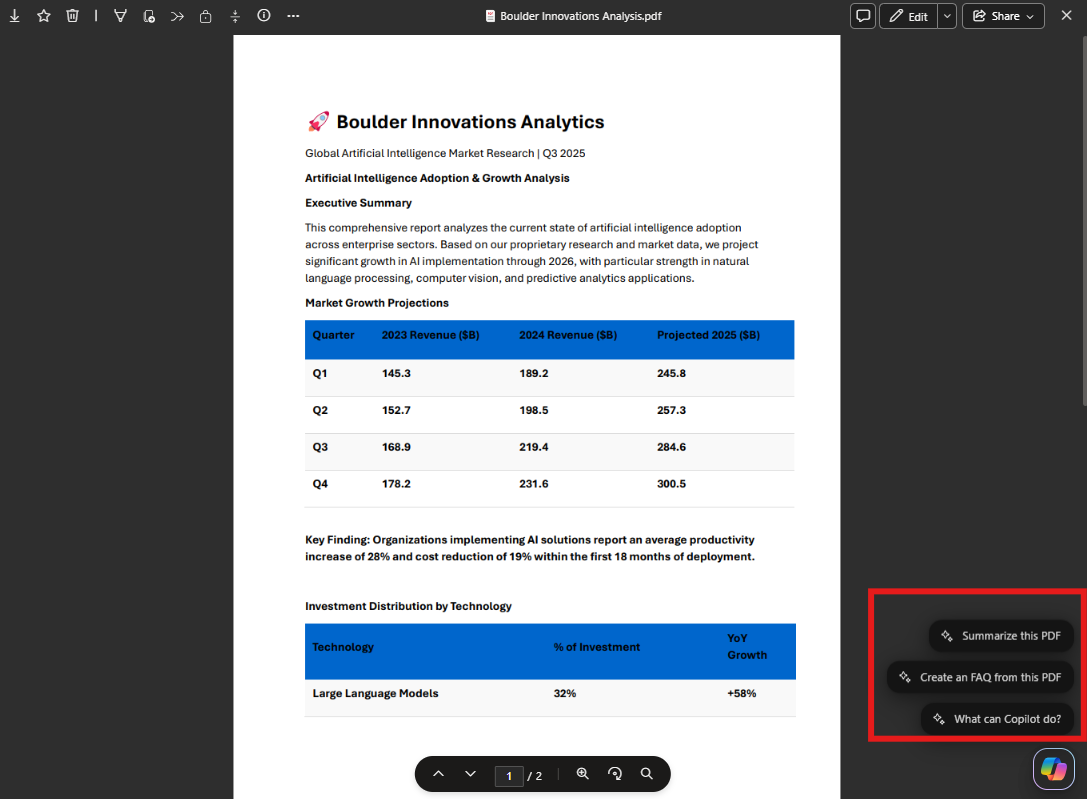
Starting late April 2026, Microsoft 365 Copilot will show suggested actions like summarizing and FAQ generation directly in OneDrive and SharePoint file previews. Enabled by default for eligible users, this feature respects existing permissions and policies, requiring no admin action but user awareness is recommended.
APR
17
Starting April 15, 2026, browsers and platforms will distrust DigiCert Global Root CA (G1). Microsoft 365 services use newer certificates, so most users won’t be affected. Legacy scenarios may face TLS errors. If issues arise, verify the certificate chain and contact Microsoft Support referencing the April 2026 distrust.
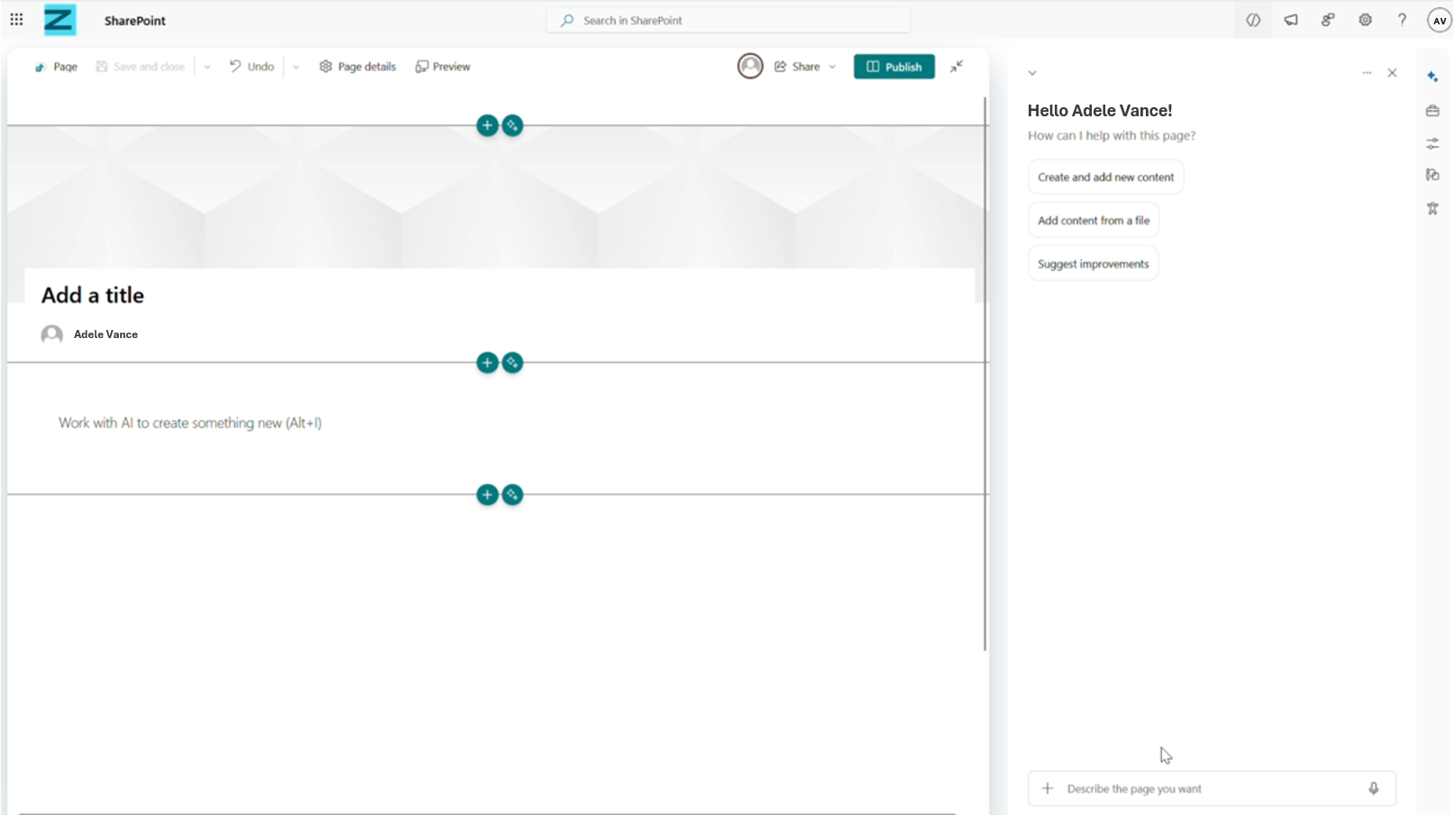
SharePoint page editors with a Microsoft 365 Copilot license will get an AI-powered authoring panel to create and edit pages using natural language prompts, leveraging existing Microsoft 365 content. The feature rolls out from April to June 2026, is enabled by default, and allows switching between AI and manual editing.
OneDrive now makes it easier to find and access your SharePoint document libraries on your iPhone and iPad. Search for libraries by name, browse an updated Libraries view with recent and alphabetical sorting, and navigate directly to the site’s default document library for ease of access. Whether you’re on the go or working remotely, you can quickly locate and open organizational content that matters to you.
APR
22
Site owners have a critical role to play in ensuring accuracy of site information, including the site’s necessity, its owners, members, permissions, and sharing settings. We’re introducing the Governance Reviews Dashboard in Private Preview, a centralized view where site owners can see all pending site governance reviews (inactivity, ownership, attestation) across the sites they own.The dashboard shows required actions, due timelines, and site enforcement status and allows site owners to take action directly from one place. Combined with consolidated policy notifications, it replaces multiple emails with a single, actionable governance surface.
You can ask AI in SharePoint to create a Word, Excel or PowerPoint file based on the information you’ve gathered within SharePoint
AI in SharePoint can now generate code which allows it to take what you ask and build the behind-the-scenes instructions or “helper programs” needed to actually do the work, like generating reports.
APR
23
Recipient groups in eSignature allow a recipient slot to be assigned to multiple people, such that any one of those people can fulfil the signing requirement on behalf of the group.
Microsoft Purview introduces a File Quarantine action for SharePoint and OneDrive DLP policies, isolating violating files in an admin-controlled quarantine site with a tombstone placeholder. Rolling out mid-April to June 2026, it requires admin configuration, manual restore, and enhances data protection and compliance monitoring.
APR
24
With AI in SharePoint, you can find, analyze, and organize files all from chat. SharePoint understands complex requests like “rename these files by date” or “move old reports to an archive folder.” It analyzes your library, suggests a plan, and executes it with your approval, saving you time and effort.
APR
27
A new unified Apps experience in the SharePoint admin center will allow SharePoint Embedded administrators to create, install, and manage apps centrally without Global admin consent. It includes billing configuration, app ownership management, and rolls out worldwide from mid to late May 2026.
A single group with broad membership or a special group for vendors etc. – can expose sensitive content to unintended recipients. With this new report, SharePoint admins can now see every site a group can access and the extent of that access.
APR
28
A single group with broad membership or a special group for vendors etc. – can expose sensitive content to unintended recipients. With this new report, SharePoint admins can now see every site a group can access and the extent of that access.
APR
29
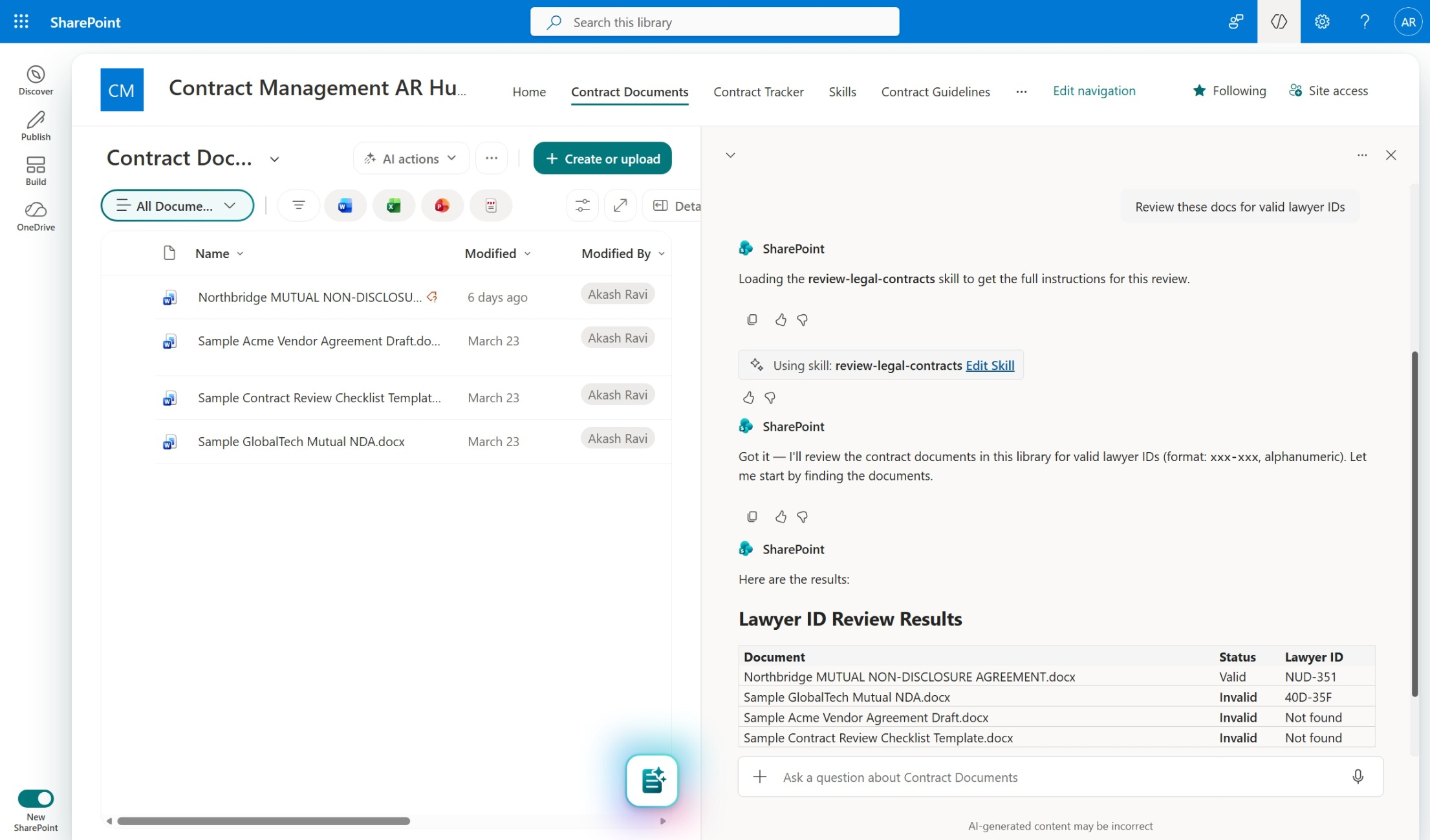
SharePoint Skills are not about writing better prompts. It’s a way to turn a repeatable, multi-step workflow into a reusable asset that others can run on the same site. They’re created in chat, reviewed before saving, and then reused later when the same kind of work comes back again. The system can automatically load a relevant skill based on the request, or you can call it explicitly by name.
Power Automate will introduce a preview action in May 2026 to generate documents from SharePoint forms by mapping inputs to templates. Available to AI in SharePoint Public Preview participants, it automates document creation and storage in SharePoint for workflows like contracts and reports.
Power Automate introduces preview triggers and actions for SharePoint forms, enabling workflow automation on form submissions starting May 2026. Features include “Form submitted” trigger and “Get form metadata” action, supporting dynamic form handling and scalable automation while respecting existing SharePoint permissions.
OneDrive sync on Windows will support syncing up to 1 million items per device starting in Public Preview in late April 2026, benefiting users with large libraries. Devices not meeting requirements will remain at the 300,000-item limit. No disruption is expected, and no action is needed unless participating in the preview.
APR
30
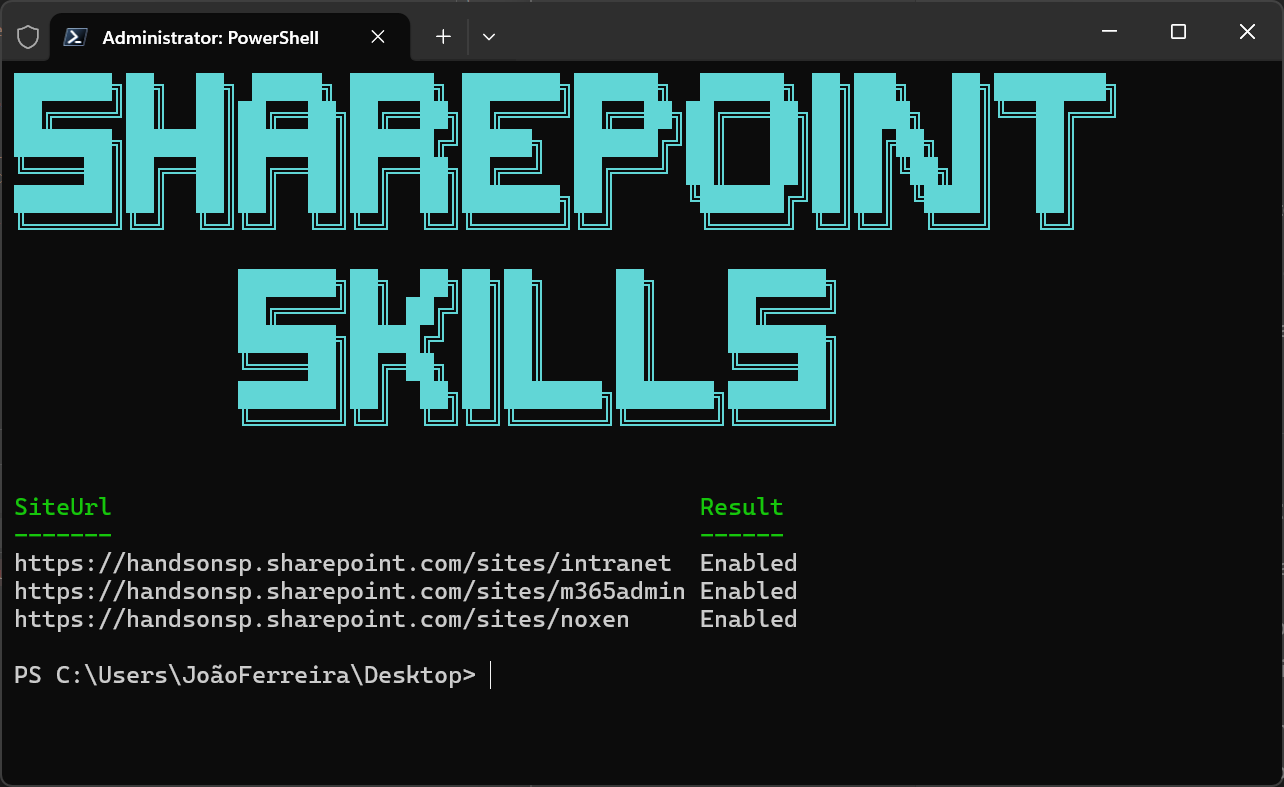
Once AI in SharePoint is available, Skills still require an extra step.During public preview, site owners or admins must enable the Agent Assets feature at the site collection level. That feature creates the place where Skills live.
We are introducing new Power Automate integration capabilities for forms in SharePoint, enabling customers to create automated workflows based on responses collected using list forms, file upload forms, and document generation forms. With this update, a new trigger and action are now available in Power Automate:Trigger: When a form is submittedThis operation triggers a flow when a list form, document generation form, or file upload form is submitted. Customers can use this trigger to initiate automated workflows such as approvals, notifications, or routing based on form submission events.
We are announcing the ability to add SharePoint lists as a knowledge source in Microsoft Copilot Studio. This feature will reach general availability on May 30, 2026.
We are announcing the ability to add SharePoint lists as a knowledge source in Microsoft Copilot Studio. This feature will reach public preview on May 15, 2026.
We are introducing a new Power Automate action that enables automated document generation using document generation (DocGen) forms in SharePoint. Generate document from form (Preview) allows customers to create documents from a template by mapping data inputs to predefined template fields.Documents are generated as part of an automated flow and stored in SharePoint.This capability supports scenarios such as creating contracts, invoices, letters, or reports using structured templates and form-driven inputs.The action works by mapping input data to template fields and returns the generated document along with file metadata such as location and status.
Authoritative Sites feature empowers administrators to designate specific SharePoint sites as official, trusted sources of information. By classifying these sites as authoritative these high-quality, credible content, such as company news, policies, and updates, are prioritized across Copilot Chat and Copilot Search experiences






No comments yet